ProjectsSource chat
Source chat modeled on NotebookLM
Upload your own sources, ask questions about them in a chat and trace every statement in the answer back to the passage it came from.
Demo login: demo@notebook.local
Password demo-citations-2026

Key facts
As of
- Tests
- 102 in 15 spec files, 11 of them against a real database
- Demo
- no sign-up, read-only account
- Availability over the last 30 days
- 100.00 %
Every statement has a source
Answers rely only on the sources in the notebook. Every statement gets a numbered citation, and clicking it leads to the passage it came from.
That way an answer can be checked instead of simply having to be believed.
From source to answer
- Source added as PDF, DOCX, website or text
- Index makes the source searchable
- Question asked in the chat
- Answer comes with numbered citations
- Click on a number opens the passage
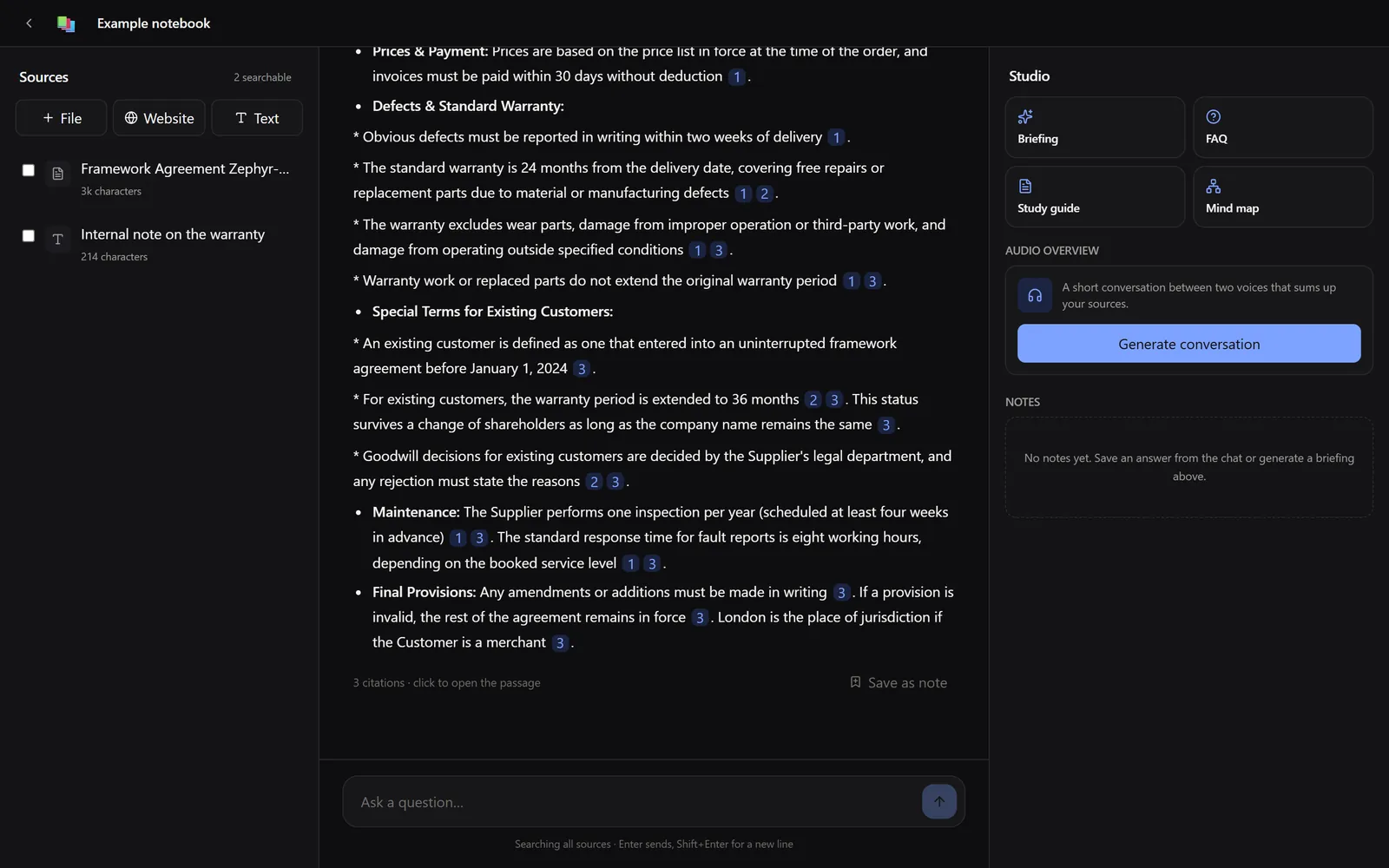
Search in Postgres
On upload, the text of a source is split into chunks of at most 3000 characters that overlap by up to 450 characters. Each chunk is stored with its vector of 768 dimensions and a full-text index in the same table.
A question searches both ways: for the words in the full text, in German and English, and for similar meaning through the vector. Both rankings are merged by Reciprocal Rank Fusion with k = 60. Only the position in each list counts, with no manual weighting, and whatever shows up in both lists moves up.
The model receives the eight best chunks, numbered, and backs every statement with a number. Numbers without a matching chunk are dropped, the rest are renumbered and lead to the passage in the chat.
Excerpts from the real code, shortened.
Real code from the source chat

apps/api/src/sources/chunker.ts
const MAX_CHARS = 3000;const OVERLAP_CHARS = 450;const MIN_CHARS = 120;export function chunk(text: string): Chunk[] { const blocks = paragraphs(text); if (blocks.length === 0) return []; …
supabase/migrations/20260804090000_init.sql
create table chunks ( … lang regconfig not null default 'german', fts tsvector generated always as (to_tsvector(lang, content)) stored, embedding vector(768));create index on chunks using hnsw (embedding vector_cosine_ops);
supabase/migrations/20260804090100_match_chunks.sql
k constant int := 60;…select … (coalesce(1.0 / (k + v.rank), 0) + coalesce(1.0 / (k + w.rank), 0))::float as score…left join vec v on v.id = candidates.idleft join kw w on w.id = candidates.id
apps/api/src/chat/citations.ts
const citations: Citation[] = [...renumbered.entries()] .map(([original, n]) => { const block = blocks[original - 1]; return { n, chunkId: block.chunkId, … charStart: block.charStart,
Studio
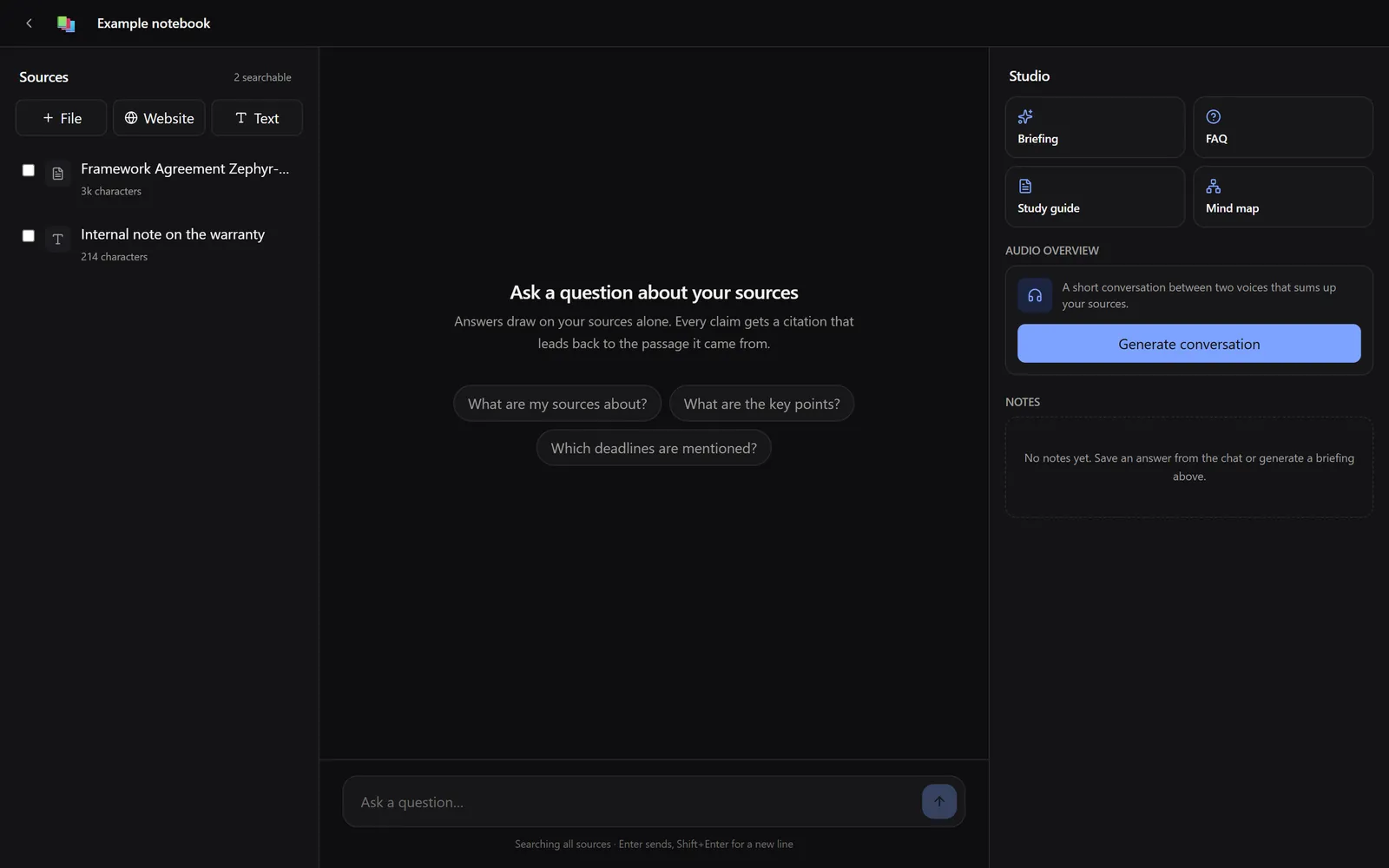
From the same sources the studio generates further formats. It sits on the right, next to the chat.
- Briefing
- FAQ
- Study guide
- Mind map
- Audio overview as a conversation between two voices
- Saving notes from chat answers
Technology
- Frontend
- Next.js
- Backend
- NestJS
- Data
- Supabase with PostgreSQL and pgvector
- Search
- Vector and full text, merged with Reciprocal Rank Fusion
- Access
- Row Level Security, queries run with the user's token
- Operations
- own server, Supabase self-hosted, Caddy in front
Try it
- Live notebook.dmn-software.com
-
Mail
demo@notebook.local -
Password
demo-citations-2026
The account is read-only. Chat and studio are limited to a few requests per hour.